Last updated: 21 October 2026
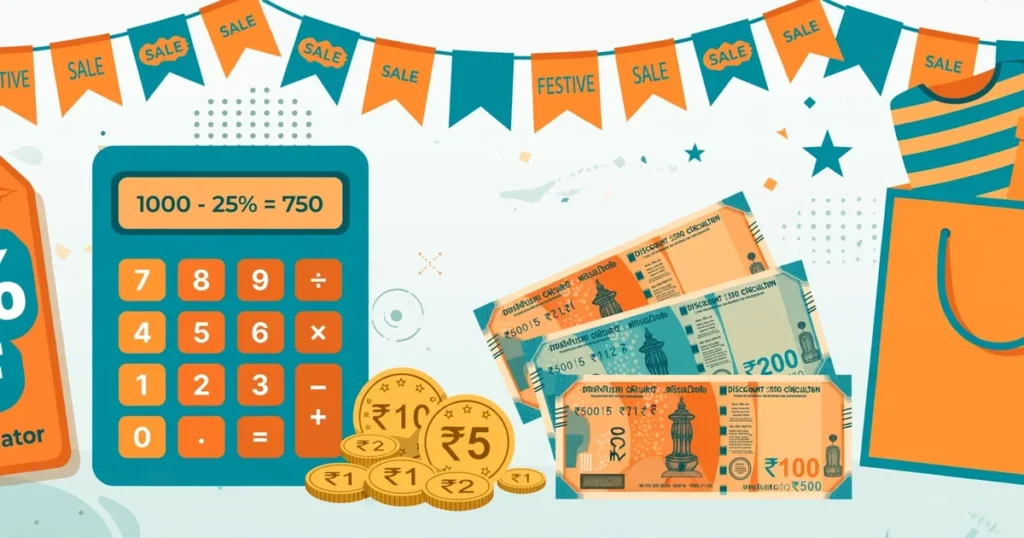
Every festival sale shouts “50% OFF plus extra 10% on cards!” What will you actually pay at checkout, and is that extra 10% really 10%?
A discount calculator answers both. Enter the price and the discount, and you see the final price, your total savings and the effective discount percentage. For 50% plus 10%, the effective discount is 55%, not 60%. Here’s how to work out any sale price, including card offers, flat offers and a reverse check on the MRP.
How to use the discount calculator: 3 modes
The tool opens in Single Discount mode with a ready example: ₹2,000 at 25% off, giving a final price of ₹1,500. There is no calculate button, and results update live as you type.
Three modes sit at the top as pill buttons:
Single Discount is for one straight discount. Enter the original price, enter the discount rate, and choose % Off or ₹ Flat from the dropdown next to it. The Quick rates chips (5%, 10%, 15%, 20%, 25%, 30%, 40%, 50%) fill in common percentages with one tap.
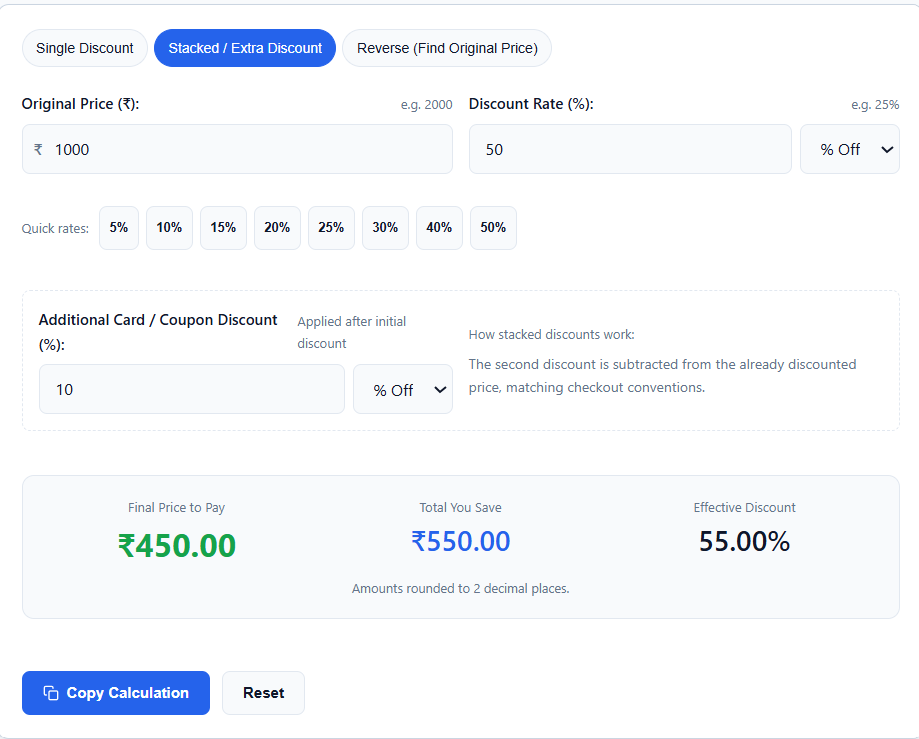
Stacked / Extra Discount is for two discounts applied one after another, like a sale discount plus a bank card offer. A second row appears for the Additional Card / Coupon Discount, which also supports % Off or ₹ Flat. The tool applies the second discount to the already-discounted price, the way most checkouts do.
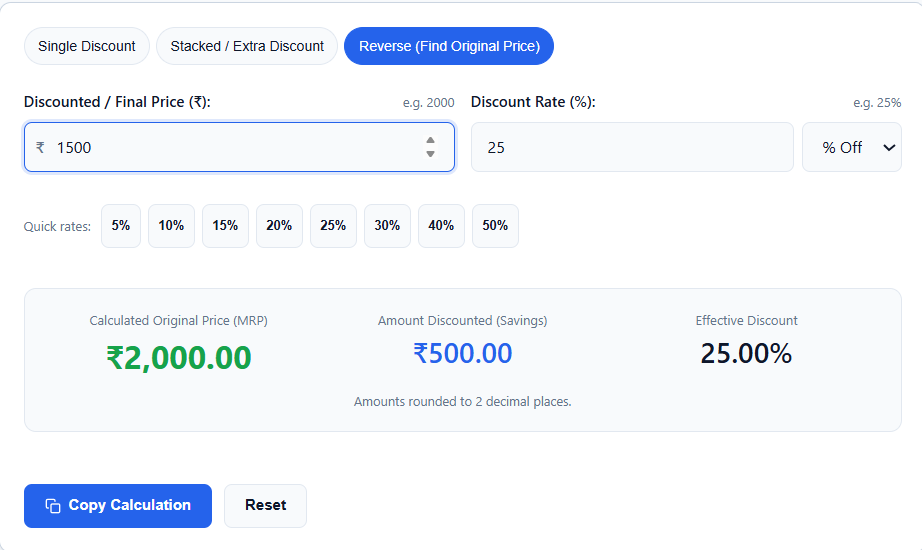
Reverse (Find Original Price) works backwards. Enter the final price you paid and the discount percentage, and the tool calculates the original MRP. In this mode the price label changes to “Discounted / Final Price (₹)” and the result shows “Calculated Original Price (MRP)”.
Below the results, Copy Calculation copies the full breakdown as text for budgets or shopping lists, and Reset restores the ₹2,000 / 25% example. All amounts are rounded to 2 decimal places.
The maths behind every discount
A percentage discount takes two steps. First find the savings by multiplying the price by the discount fraction, then subtract the savings from the price.
Take a jacket priced at ₹2,000 with 25% off:
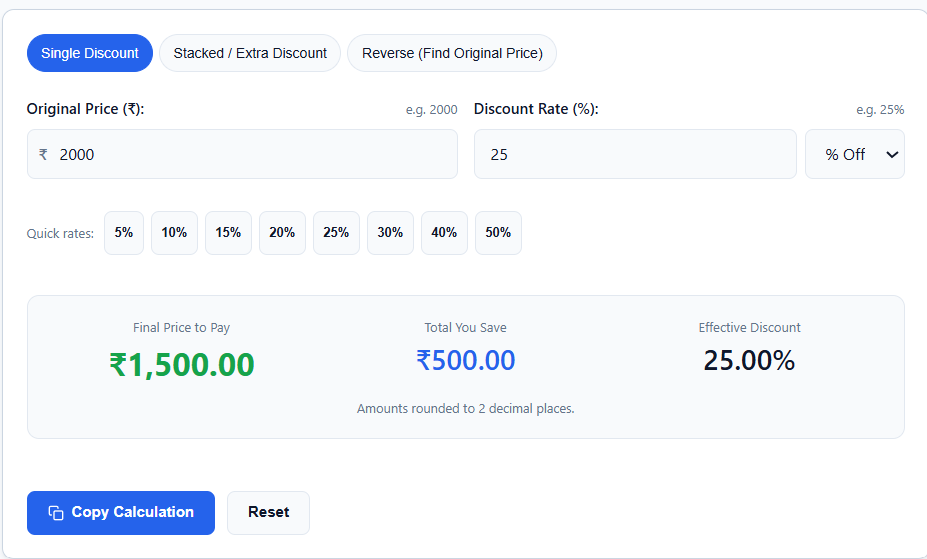
- Savings = 2,000 × 0.25 = ₹500
- Final price = 2,000 − 500 = ₹1,500
The formula: final price = original price × (1 − discount ÷ 100).
A flat discount is simpler: final price = original price − flat amount. A ₹500 flat discount on a ₹2,000 item also gives ₹1,500. The two are not always equal, as the next section shows.
Flat vs percentage: which discount saves more?
A percentage discount grows with the price, while a flat discount stays fixed. Take ₹500 flat against 20% off:
- On a ₹2,000 item, 20% saves ₹400, so the flat ₹500 wins.
- On a ₹3,000 item, 20% saves ₹600, so the percentage wins.
The break-even point is ₹2,500, where 20% equals exactly ₹500. For expensive items, prefer the percentage. For cheaper items, take the flat discount.
When a sale offers both, try each in the tool and compare the “Total You Save” figures.
How stacked discounts really work
Retailers apply stacked discounts one after another, so the percentages don’t add up.
Say an item costs ₹1,000 with 50% off plus an extra 10% card discount:
- Step 1: 50% off ₹1,000 leaves ₹500.
- Step 2: 10% off the discounted ₹500 takes off ₹50.
- Final price: ₹450. Total saved: ₹550.
The effective discount is 55%, not 60%. The bigger the first discount, the less the second one matters.
Another case: 25% plus 10% on ₹2,000. The first 25% brings it to ₹1,500, then 10% of ₹1,500 is ₹150, so you pay ₹1,350. The effective discount is 32.5%, not 35%.
Use Stacked / Extra Discount mode for these offers. Enter the sale discount first and the card offer second, and the tool shows the true effective percentage.
Does the order of the discounts matter?
For two percentage discounts, no. 50% then 10% gives the same price as 10% then 50%.
For a flat discount and a percentage discount, yes. On ₹2,000, taking ₹200 off first and then 10% off gives ₹1,620. Taking 10% off first and then ₹200 gives ₹1,600.
In the calculator, the first row is applied first. Check which order the store follows, because it can change your final price by a few rupees.
Reverse discount: find the original MRP
Sale tags sometimes show only the discounted price and the discount percentage. To find the original price, divide the final price by (1 − discount ÷ 100).
If you paid ₹1,500 after a 25% discount, the original price is 1,500 ÷ 0.75 = ₹2,000.
This matters because 70% off an inflated MRP can still be a bad deal. If the calculated MRP is far above the usual market price, the discount is mostly show.
In Reverse mode you can also use the ₹ Flat option. If you paid ₹1,500 after a flat ₹500 discount, the original price is 1,500 + 500 = ₹2,000, and the tool shows the effective percentage too.
What a discount does to a seller’s profit
A discount comes out of the seller’s profit, not out of the cost.
Say a shopkeeper buys an item for ₹800 and sells it for ₹1,000, so the profit is ₹200. A 10% discount brings the price to ₹900. The profit falls to ₹100, which is half of what it was.
A small percentage off the price can take a big share of the profit. If you sell, check your margin with the profit and loss percentage calculator before you offer a discount.
Smart shopping tips for festival sales
Compare the final price, not the discount percentage. A 70% discount on an overpriced MRP can lose to a 30% discount on a fair price. Run the reverse check on suspicious MRPs.
Watch for caps on card offers. “10% instant discount up to ₹750” on a ₹20,000 phone saves only ₹750, which is 3.75%, not 10%. Enter the capped rupee amount as a flat discount in stacked mode to see the real number.
Check the price history. Some sellers can raise a price before a sale and then “discount” it back. If you noted the price earlier, compare it with the sale price.
Know what the price includes. An MRP in India already includes GST, so don’t add GST on top. Prices shown as “+GST” don’t include it, and you can work that out with the reverse GST calculator. Delivery or packing charges may be added at checkout, so add them to your budget.
Copy the breakdown before you buy. Hit Copy Calculation and paste it into your notes or family budget group. Seeing “Amount Saved: ₹650 (32.50%)” in writing makes impulse buys harder.
Frequently asked questions
How do you calculate a discount percentage?
Divide the savings by the original price and multiply by 100. If a ₹2,000 item sells for ₹1,500, the savings are ₹500, and (500 ÷ 2,000) × 100 = 25%.
What is the difference between % Off and ₹ Flat in the tool?
% Off takes a percentage of the price (25% of ₹2,000 = ₹500 off). ₹ Flat subtracts a fixed rupee amount (₹500 flat on ₹2,000). Use the dropdown next to the discount field to switch.
Can the discount be more than the price?
No. The tool caps the discount at the item price, so the final price never goes below zero. Percentage discounts are limited to 0 to 100%.
Does the discount calculator include GST?
No. It calculates on the price you enter. An MRP already includes GST, so enter it as it is. If a price is quoted “+GST”, add the tax separately, or use the reverse GST calculator.
Author: Kailash Choudhary
Kailash Choudhary runs Mubarak4u.in from Makrana, Rajasthan. He writes practical guides for the site, uses AI tools to help with drafts, and checks the figures before they go live.
About Author
Kailash Choudhary writes practical tool guides for Mubarak4u.in. He runs each calculator and converter with real numbers before writing about it, and explains the results in simple English with worked examples.