Last updated: 22 October 2026
You give notice on 10 March 2026 and your notice period is 30 days. Is your last day 8 April or 9 April? It depends on how the days are counted. The answer is 9 April if day one is the day after you gave notice, and 8 April if 10 March itself counts as day one.
A date difference calculator settles questions like this in seconds. Enter two dates, and it shows the gap in years, months, days and weeks, plus the working days. This guide shows how to use it, when to tick “include end date”, and how to count a notice period.
How to use the date difference calculator
- Pick the start date. This is the day something begins, such as a joining date, a notice date or a loan start.
- Pick the end date. This is the day it ends, or the deadline.
- Read the result. You get the breakdown in years, months and days, plus total days, full weeks, Monday-to-Friday working days and weekend days on one screen.
- Tick “include end date” if both the first and the last day count. A three-day conference from Friday to Sunday includes all three days, so tick it. A notice period of “30 days from today” usually leaves out today, so leave it unticked.
Quick presets cover the next 30 days, the next 90 days, year to date and the current year. The date difference calculator runs in your browser, and the Copy button saves the result for an email or a record.
Include end date: when to tick it
This checkbox causes many mistakes. Here is the rule of thumb:
- Counting the gap between two points (how long from 1 January to 31 December?): leave the end date out. 1 January 2028 to 31 December 2028 is 365 days.
- Counting days that are all used (a hotel stay, an event, a leave application): include the end date. Ticking the box adds exactly one day.
When in doubt, read the wording of your notice or contract. “30 days from 10 March” and “10 March to 8 April, both days included” describe the same period, and they give different end dates if you mix up the wording. Match the checkbox to the exact words in the document.
How to count a notice period
Take a notice given on 10 March 2026 for 30 days. Two rules are common:
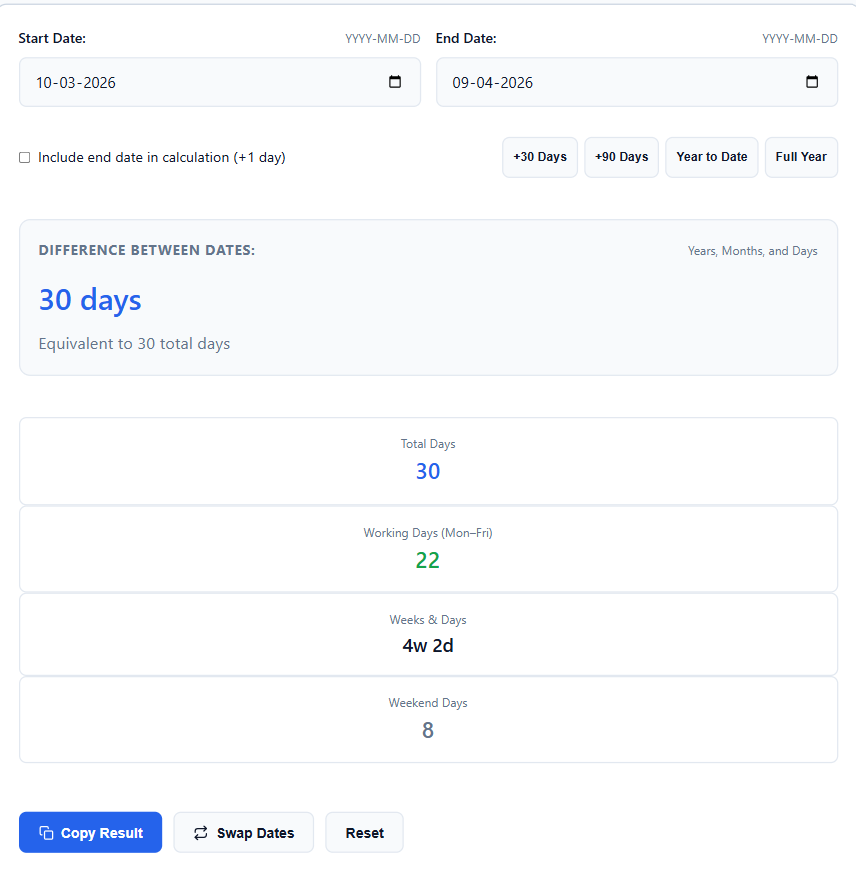
- Day one is the day after you gave notice. The last day is 9 April. In the calculator, 10 March to 9 April is 30 days with the box unticked.
- The day you gave notice counts as day one. The last day is 8 April. In the calculator, 10 March to 8 April is 30 days with the box ticked.
Your offer letter or rental agreement decides which rule applies. If it doesn’t say, ask HR or your landlord and keep the answer in writing.
Working days vs calendar days
The calculator shows two different counts, and people mix them up:
- Total days: every calendar day in the range, weekends included.
- Working days: Monday to Friday only.
“90 days probation” sounds like three months. In working days it’s about 64 to 65, because 90 days is 12 weeks and 6 days, and 12 weeks hold 60 weekdays.
The calculator has two limits. It doesn’t know public holidays, so if your range covers Diwali or another holiday, subtract those days yourself. It also treats Saturday and Sunday as the weekend. If your office runs six days a week, add the Saturdays back. Banks in India, for example, are closed on the 2nd and 4th Saturdays only.
Leap years are handled for you
A leap year adds 29 February. It comes every four years, except century years that aren’t divisible by 400, so 2028 and 2032 are leap years and 2100 isn’t. If your range crosses February in a leap year, the calculator counts the extra day on its own.
A worked example: a 60-day notice period
Say you resign on 15 October 2026 with a 60-day notice period, and your company counts the last day as included.
- Start: 15 October 2026
- End: 13 December 2026, with include end date ticked: 60 days
- Working days (Monday to Friday): 42, because 13 December is a Sunday
- Weeks and days: 8 weeks and 4 days
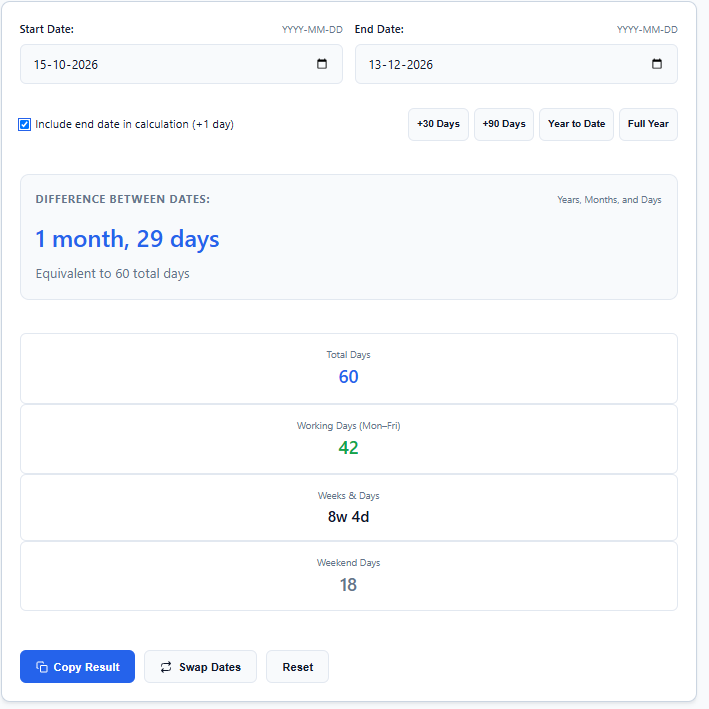
Without the tick, the same dates give 59 days. If you plan to start a new job on a fixed date, that one day matters, so get the counting rule from HR before you fix the date.
How to calculate age in years, months and days
Your age is the gap between your date of birth and a second date, so the date difference calculator works as an age calculator. Enter the date of birth as the start date, and today’s date or a cut-off date as the end date.
Take someone born on 15 August 2000. On 1 January 2026, they are 25 years, 4 months and 17 days old.
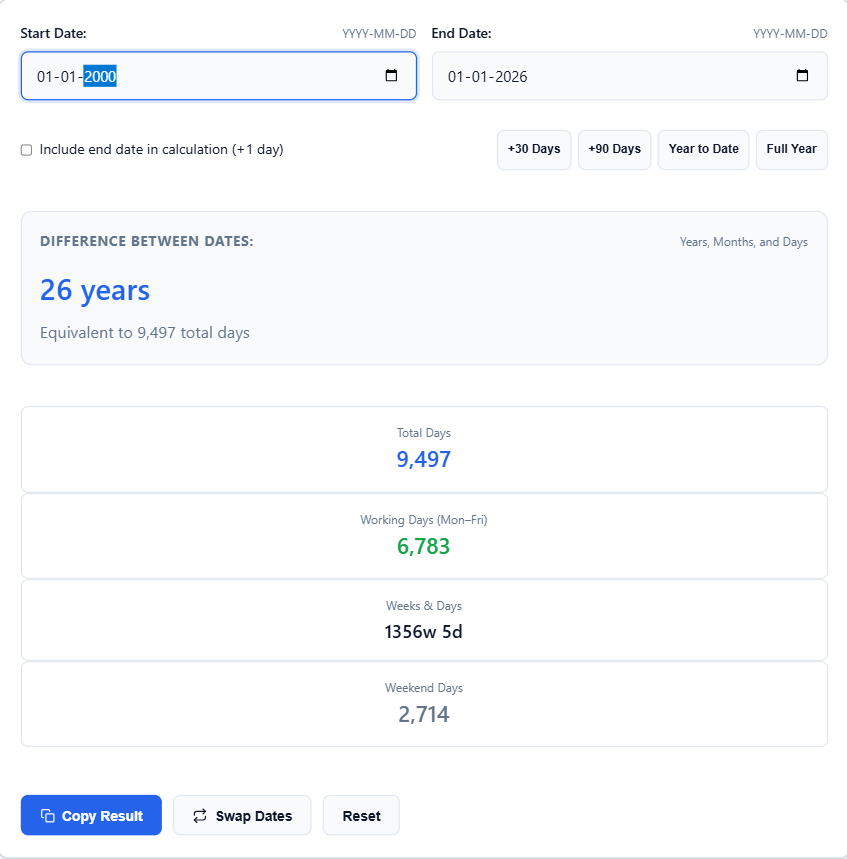
You can also read the age in days. Someone born on 1 January 2000 is 26 years old on 1 January 2026, and that’s 9,497 days. The count includes seven leap days, one in each of 2000, 2004, 2008, 2012, 2016, 2020 and 2024.
Many forms ask for your age “as on” a cut-off date, not today’s date. The notification states that date, so read it first and enter it as the end date. The form’s own rules decide whether you are eligible.
If you only need the age in completed years, read the first number in the breakdown and ignore the months and days.
Everyday uses with real numbers
Age on a cut-off date. Many forms ask for age “as on” a date. Someone born on 15 August 2000 is 25 years, 4 months and 17 days old on 1 January 2026. Enter the date of birth as the start and the cut-off as the end. The form’s own rules decide eligibility, so read them first.
A project deadline. Enter today’s date and the deadline to see the weeks and days left. October 2026, from the 1st to the 31st with the end date included, is 31 days. That’s 22 working days and 9 weekend days.
A warranty. Enter today’s date and the expiry date to see how many days remain. Read the warranty card to check whether it ends on the same date two years later or a day earlier.
A time gap within a day. To add or subtract hours and minutes, use the hours and minutes calculator.
What the calculator can’t decide for you
The calculator does the arithmetic. It can’t read your contract, so three things stay with you:
- The counting rule. Check whether day one is the day after the notice or the day the notice was given.
- The holidays. It doesn’t know which days are holidays at your workplace or in your state.
- “Days” or “working days”. If a document says “working days”, use the working-day card, then remove the holidays yourself.
Get the rule in writing from HR, your landlord or the issuing office before you plan around a date.
Frequently asked questions
How do I count a 30-day notice period?
Decide whether the day you gave notice is day one. If it isn’t, the last day is 30 days later. Notice given on 10 March ends on 9 April. If it counts as day one, the last day is 8 April.
Does the calculator remove public holidays?
No. It removes only Saturdays and Sundays from the working-day count. Subtract public holidays yourself.
Can I count backwards from a later date to an earlier one?
Use the Swap button to reverse the dates, then read the result as usual. This helps with “how long ago did this happen” questions.
Is my data sent anywhere?
No. The calculation happens in your browser, and the dates you enter stay on your device.
How do I calculate my age on a specific date?
Enter your date of birth as the start date and that date as the end date. The result shows your age in years, months and days. For a form with a cut-off date, use the cut-off date as the end date.
Author: Kailash Choudhary
Kailash Choudhary runs Mubarak4u.in from Makrana, Rajasthan. He writes practical guides for the site, uses AI tools to help with drafts, and checks the figures before they go live.