Last updated: 21 October 2026
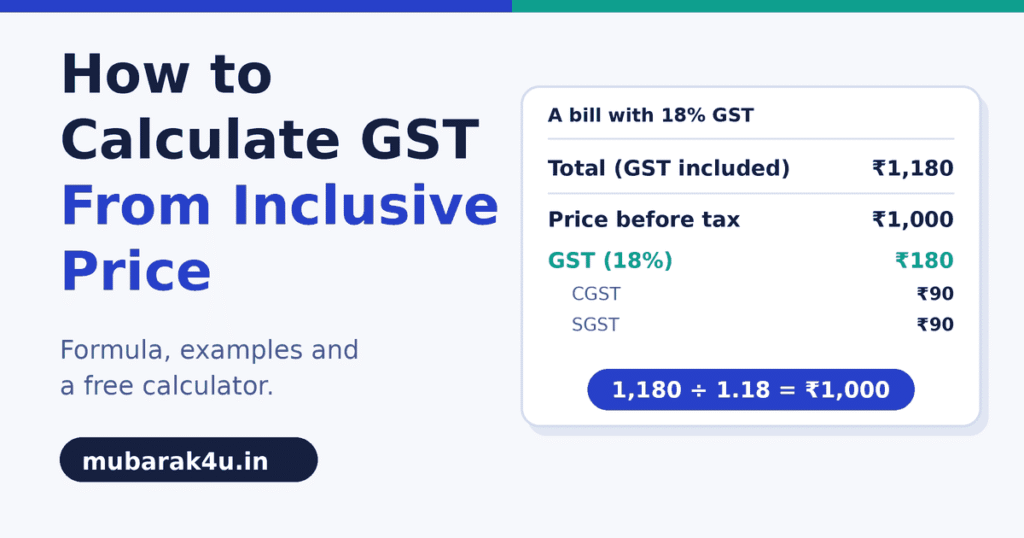
To calculate GST from an inclusive price, divide the total by 1 plus the GST rate. What’s left is the price before tax. For a bill of ₹1,180 with 18% GST, that’s 1,180 ÷ 1.18 = ₹1,000, and the GST in the bill is ₹180.
Many people take 18% off the total instead. That gives a different number, and the gap is bigger than it looks. This guide shows the right formula, how the tax splits into CGST, SGST and IGST, and how to use the reverse GST calculator so you don’t have to do the sums by hand.
How to calculate GST from inclusive price: the formula
Price before tax = total ÷ (1 + rate ÷ 100)
GST amount = total − price before tax
At 18%, the rate ÷ 100 is 0.18, so you divide by 1.18. At 5% you divide by 1.05. At 40% you divide by 1.40.
Take ₹1,180 at 18%:
- Price before tax: 1,180 ÷ 1.18 = ₹1,000
- GST: 1,180 − 1,000 = ₹180
Why taking 18% off the total is wrong
Try it the wrong way. 18% of ₹1,180 is ₹212.40. Subtract that from 1,180 and you get ₹967.60.
The right answer is ₹1,000, so the wrong method is off by ₹32.40.
GST is charged on the price before tax, not on the total. The 18% is 18% of ₹1,000, which is ₹180. When you take 18% of the bigger number, you take too much.
Using the reverse GST calculator, step by step
- Open the reverse GST calculator.
- Choose Remove GST. This is the mode for a total that already includes tax.
- Type the total you paid or were billed.
- Pick the rate: 0%, 5%, 18% or 40%. Use Custom Rate for anything else.
- Read the price before tax, the GST amount and the total.
- Check the cards for CGST and SGST (a sale within one state) and for IGST (a sale to another state).
- Click Copy GST Breakdown to copy the numbers.
To go the other way, choose Add GST and type the price before tax.
GST rates in India and how to know which one applies
Since 22 September 2025, most goods and services fall under two main rates, 5% and 18%. A 40% rate applies to a small set of luxury and sin goods. Some items are nil-rated or exempt, and a few, such as precious metals, have their own special rates. The calculator shows a note that the rates are as notified from 22 September 2025.
The 12% and 28% rates were removed in that change. If you see a guide that still lists them, it’s out of date.
Bills issued before 22 September 2025 still follow the old rates, so an old invoice may show 12% or 28%. Pick the rate that was printed on the bill, not today’s rate.
The calculator can’t tell you which rate your item falls under. That comes from the GST rate schedule. Look the item up on the CBIC website or ask your accountant before you put a rate on an invoice.
The same price at different rates
Say the price before tax is ₹1,000. The total changes with the rate:
- 5% GST: total ₹1,050
- 18% GST: total ₹1,180
- 40% GST: total ₹1,400
Working backwards works the same way. A total of ₹1,050 at 5% gives ₹1,000 and ₹50 of GST. A total of ₹1,400 at 40% gives ₹1,000 and ₹400 of GST.
CGST, SGST and IGST
When a sale is within one state, the GST splits into two equal halves. One half is CGST, for the central government. The other half is SGST, for the state.
For the ₹180 of GST in our example, that’s ₹90 CGST and ₹90 SGST.
When a sale is between two states, the whole amount is IGST. In our example, it’s ₹180 IGST. The total GST is the same either way. Only the split changes.
Paise and rounding
Some totals don’t split into whole paise. Take ₹100 with GST included at 18%:
- Price before tax: ₹84.75
- GST: ₹15.25
- CGST: ₹7.63
- SGST: ₹7.62
Half of ₹15.25 is ₹7.625. The calculator rounds CGST up to ₹7.63 and gives the remaining ₹7.62 to SGST, so the two always add up to the full GST amount. Your invoicing software may round the other way, so a bill can differ by a paisa.
Three quick examples
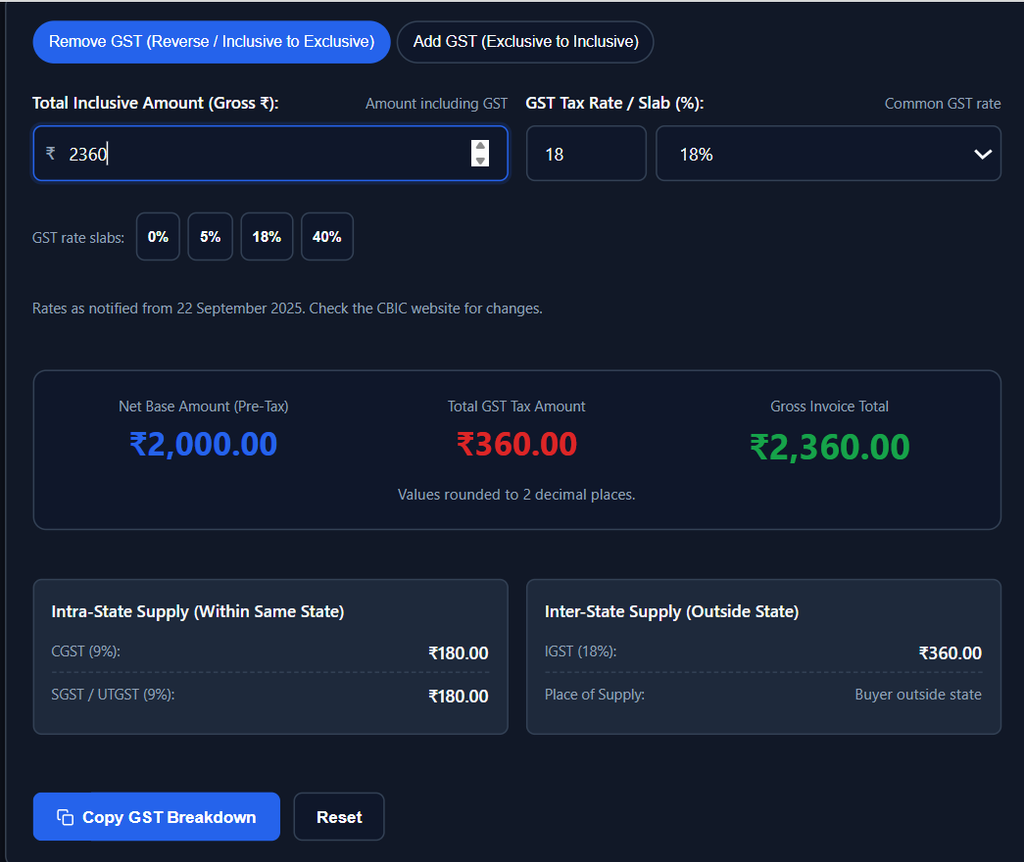
A shop bill of ₹2,360 with 18% GST. Price before tax: 2,360 ÷ 1.18 = ₹2,000. GST: ₹360, which is ₹180 CGST and ₹180 SGST.
A product with an MRP of ₹590 at 18%. An MRP is meant to include taxes. Price before tax: 590 ÷ 1.18 = ₹500. GST: ₹90. If a shop offers a discount on the MRP, the discount calculator gives the final price.
A freelancer quoting ₹50,000 plus 18% GST. Choose Add GST. The GST is ₹9,000, and the client pays ₹59,000.
How to check a bill in 30 seconds
Many bills show the price before tax, the GST and the total on separate lines. You can check them without a calculator tool.
Multiply the price before tax by the rate, then add the result to the price. If the answer matches the total, the bill is correct.
Say a bill shows ₹4,000, ₹720 GST and a total of ₹4,720 at 18%. Multiply 4,000 × 0.18 and you get ₹720, which matches. Divide 4,720 by 1.18 and you get ₹4,000 again. Both checks agree, so the bill is right.
If the numbers don’t match, ask the seller which rate they used and whether the price shown already included tax.
What to do when one rate isn’t enough
The calculator takes one amount and one rate. If a bill has items at different rates, work out each item on its own and add the results.
Say a bill has one item of ₹1,180 at 18% and another of ₹1,050 at 5%. The first gives ₹1,000 before tax and ₹180 of GST. The second gives ₹1,000 before tax and ₹50 of GST. The bill’s total is ₹2,230, with ₹2,000 before tax and ₹230 of GST.
An item with cess needs the cess amount taken out first, and the calculator doesn’t know it. Rounded results can differ from your invoicing software by a paisa.
Mistakes to avoid
- Taking the GST percentage off the total instead of dividing by 1 plus the rate
- Using the old 12% or 28% rate on a new bill
- Putting one rate on a bill with items at different rates
- Using CGST and SGST for a sale to another state, where IGST applies
- Thinking the GST in a bill is what a business pays the government. A registered business can usually set off the tax it paid on its own purchases.
Quick answers
How do I remove 18% GST from ₹1,180?
Divide by 1.18. That gives ₹1,000, and the GST is ₹180.
Are the 12% and 28% rates still in use?
They were removed in September 2025. The main rates are now 5% and 18%, with 40% for a small set of goods. Bills issued before that date still show the old rates. Check the CBIC website for your item.
To try your own amount, open the reverse GST calculator.
Author: Kailash Choudhary
Kailash Choudhary runs Mubarak4u.in from Makrana, Rajasthan. He writes practical guides for the site.