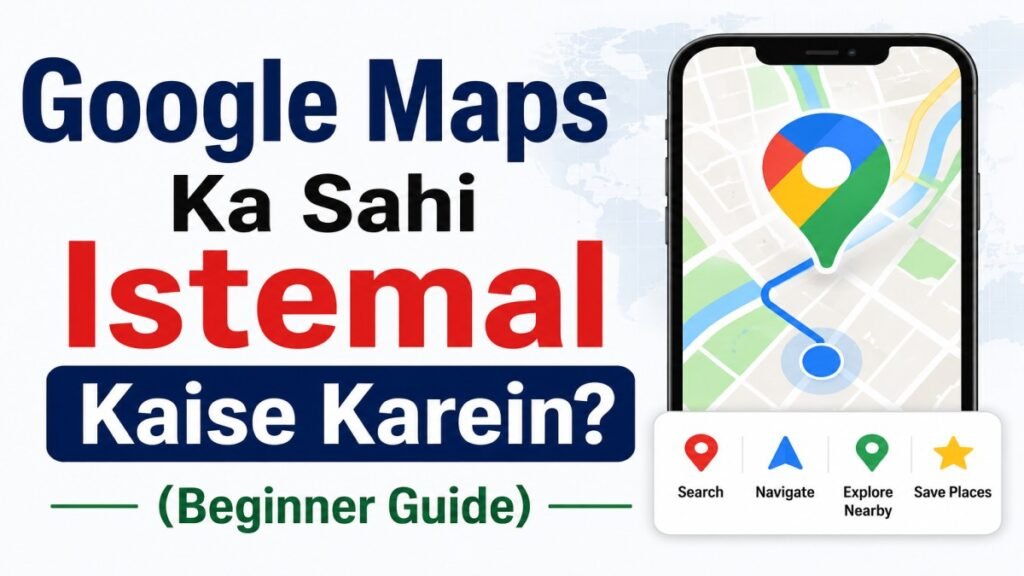
Whenever we need to visit a new place, most of us open Google Maps first. But Google Maps is not only useful for finding directions. You can also use it to find nearby hospitals, petrol pumps, ATMs, restaurants, hotels, and many other useful places. Whether you are visiting a new city for the first time, looking for an important place nearby, or sharing your location with someone, Google Maps can make many daily tasks easier. In this guide, we will explain in simple language what Google Maps is and how to use it properly.
What Is Google Maps?
Google Maps is a useful app from Google that helps you find places and get directions. You can search for an address, check a location, or look for nearby places such as ATMs, hospitals, petrol pumps, restaurants, and more. It can be especially helpful when you are visiting a new place or trying to find something nearby.
How to Start Using Google Maps?
Open the app and type the name of a place, address, or shop in the search box at the top. Once you select the right result, its location will appear on the map. If you want to visit that place, tap Directions and choose how you want to travel. You can also compare different routes based on distance, traffic, and estimated travel time.
How to Check Your Current Location?
If you are somewhere unfamiliar and are not sure about your exact location, the app can help you find it. Turn on the Location service on your phone and open the app. A blue dot will show where you are on the map, making it easier to understand your surroundings and decide where you want to go next.
How to Find Directions to a Place?
Search for the place you want to visit and tap Directions. The app will show you the available routes along with details such as distance, traffic, and estimated travel time. You can then choose a route that suits your journey and start following the directions.
How to Find Important Places Nearby?
Looking for something nearby is easy. Simply search for an ATM, petrol pump, hospital, medical store, restaurant, or any other place you need, and you will see options around you. Select a place to check its location, distance, opening hours, reviews, and directions.
How to Use Live Navigation?
Once you have selected a route, tap Start to begin navigation. The app will guide you throughout the journey with turn-by-turn directions, so you know when to turn and how far you need to go. If you miss a turn or take a different road, it can automatically find another route to your destination.
When Is an Offline Map Useful?
Offline maps can be helpful when you are travelling somewhere with a weak or unreliable internet connection. You can download the map of an area before leaving and use it later without mobile data. However, features such as live traffic updates and some real-time information may not work when you are offline.
How to Share Your Location with Someone?
Sometimes, you may need to tell a friend or family member where you are. The Location Sharing feature makes this easy by letting you share your current location with another person. This can be useful when meeting someone or when your family wants to know where you are.
Things to Keep in Mind While Using Google Maps
The app can be very helpful when finding directions, but you should not depend on it completely while travelling. Roads may be closed, construction may be going on, or traffic conditions may change. So, always pay attention to road signs and the actual road conditions around you.
Why Should You Keep Google Maps Updated?
If you are using an old version of Google Maps, some features or information may not work properly. You may also miss some new features added to the app. It is a good idea to update Google Maps from time to time so the app keeps working properly and you can use its latest features.
Does Google Maps Always Show the Right Route?
Google Maps usually provides useful directions, but it may not always show the perfect route. There may be road construction, temporary diversions, road closures, or new roads that are not yet updated on the map. In such situations, check road signs and current traffic conditions before continuing.
Conclusion
Google Maps can make everyday travel much easier, especially when you are visiting a new place or trying to find something nearby. It can help you get directions, discover useful places, and share your location with others. Still, it is a good idea to stay aware of road signs, traffic, and actual road conditions instead of relying completely on the app.
Frequently Asked Questions About Google Maps
Q1. Can Google Maps work without the internet?
Yes. You can download a map of an area before your trip and use it later without an internet connection. However, features such as live traffic updates and some real-time information may not be available while you are offline.
Q2. Can I share my live location using Google Maps?
Yes. The Location Sharing feature lets you share your current location with friends, family members, or other people. You can choose who to share it with and, depending on the option you select, how long they can see your location.
Q3. Is Google Maps only useful for driving?
No. You can use it for walking, cycling, driving, and public transport in many areas. The available travel options can vary depending on the city and location.
Q4. What should I do if Google Maps shows the wrong route?
If a suggested route does not seem right, check the road signs and the current situation around you before following it. You can also try searching for another route or ask someone nearby if you are unsure about the road.
Related Guides
Agar aap Google Maps ke sabhi features ke baare me official jaankari chahte hain, to Google Maps Help Center dekh sakte hain.