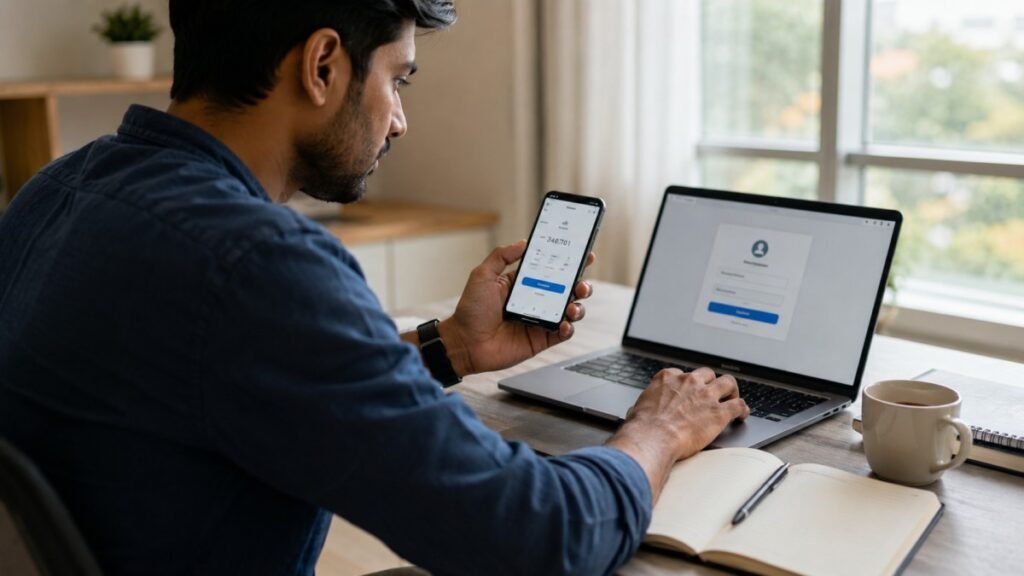
Two-Factor Authentication (2FA) ka naam aajkal banking apps, email aur social media accounts me kaafi sunne ko milta hai. Aaj hamare kai zaroori accounts online hain, jahan personal information, documents aur doosra important data bhi maujood hota hai. Sirf password ke bharose account ko secure rakhna har baar kaafi nahi hota. Isi wajah se kai online services ek extra security feature deti hain, jise Two-Factor Authentication ya 2FA kaha jata hai.
Two-Factor Authentication Kya Hai?
Maan lijiye kisi tarah kisi vyakti ko aapke account ka password pata chal jaye. Aam taur par wo account me login kar sakta hai. Lekin agar 2FA on hai, to password dalne ke baad bhi ek aur verification karni padti hai. Ye verification mobile par aaye code, notification ya authentication app ke zariye ho sakti hai. Jab tak ye doosra step poora na ho, account access nahi milta.
2FA Kaise Kaam Karta Hai?
Kai websites aur apps me login karte waqt password dalne ke baad mobile par ek verification code aata hai. Jab aap wo code enter karte hain, tabhi account khulta hai. Kuch services SMS ki jagah authentication app ya mobile notification ka bhi use karti hain. Is extra verification ki wajah se sirf password pata hona account me login karne ke liye kaafi nahi rehta.
2FA Zaroori Kyu Hai?
Aaj email, banking aur social media jaise accounts me kaafi zaroori information hoti hai. Agar kisi wajah se password leak ho jaye ya kisi aur ko pata chal jaye, to account ka risk badh sakta hai. 2FA isi risk ko kam karne me madad karta hai. Password ke baad ek aur verification hone ki wajah se account tak pahunchna aasaan nahi rehta. Isi liye Google, banks aur kai doosri online services bhi ise on rakhne ki salah deti hain.
Common Types of Two-Factor Authentication
Har website ya app ek hi verification method use nahi karti. Sabse common tarike ye hain:
SMS Verification Codes
Login karte waqt mobile number par ek code bheja jata hai. Account access karne ke liye us code ko enter karna hota hai.
Authentication Apps
Kuch log Google Authenticator ya Microsoft Authenticator jaise apps use karte hain. Ye apps har kuch seconds me naya verification code generate karte rehte hain.
Security Prompts
Kai services code bhejne ke bajay mobile par ek notification dikhati hain. Agar login aap hi kar rahe hain to aap us request ko approve kar sakte hain.
2FA Use Karne Ke Fayde
2FA ka sabse bada fayda ye hai ki account ki security sirf password tak simit nahi rehti. Agar kisi tarah password kisi aur ko pata bhi chal jaye, tab bhi bina doosri verification ke account me login karna aasaan nahi hota. Isi wajah se email, banking aur doosre zaroori accounts ke liye 2FA on rakhna achha mana jata hai.
Log Aksar Kaunsi Galtiyan Karte Hain?
Kai logon ke account me 2FA ka option hota hai, lekin wo ise on hi nahi karte. Jab tak koi dikkat na aaye, account security par dhyan nahi diya jata. Ek aur common galti recovery options ko update na rakhna hai. Agar phone kho jaye ya mobile number badal jaye, to account wapas paane me dikkat aa sakti hai. Isi liye recovery email aur backup codes ko pehle se sambhal kar rakhna behtar rehta hai.
Conclusion
Aaj hamare kai zaroori accounts internet se jude hue hain. Isi liye unki security ko nazarandaz nahi karna chahiye. 2FA on karna ek chhota sa step hai, lekin ye account ko extra security dene me madad karta hai. Agar aap email, banking ya social media account use karte hain, to ye feature zaroor enable karke rakhein.
- Related Articles
- Cloud Storage Kya Hai
- Digital Footprint Kya Hota Hai Aur Kyu Important Hai
- Online Privacy Kya Hai Aur Apni Personal Information Kaise Protect Karein?
Two-Factor Authentication Se Puche Jane Wale Sawal (FAQs)
1. Two-Factor Authentication (2FA) kya hai?
Ye ek security feature hai jisme password ke baad ek aur verification karni padti hai. Ye verification SMS, authentication app ya mobile notification ke zariye ho sakti hai.
2. Kya har account me 2FA on karna zaroori hai?
Har account me zaroori nahi, lekin email, banking aur social media jaise zaroori accounts ke liye ise on rakhna achha mana jata hai.
3. Kya 2FA account ko zyada secure banata hai?
Haan. Agar kisi ko aapka password pata bhi chal jaye, tab bhi doosri verification ke bina account me login karna aasaan nahi hota.
4. Agar phone kho jaye to kya hoga?
Aisi situation me recovery email aur backup codes kaam aa sakte hain. Isi liye unhe pehle se setup karke rakhna behtar rehta hai.
5. 2FA ke liye sabse zyada kaun se tarike use hote hain?
SMS verification, authentication apps aur mobile notifications 2FA ke sabse zyada use kiye jane wale tarikon me shamil hain.
For official information, visit Google Account Security